Deposit From Polygon
Mar 1, 2025·By Jarvis
This guide walks you through the step-by-step process of transferring USDC and XSGD from Polygon to your BasedApp card. Depositing funds into your BasedApp card from Polygon is a straightforward process that allows you to use USDC and XSGD for everyday transactions. By following these instructions, you'll be able to quickly fund your card and start using your digital assets for real-world purchases.
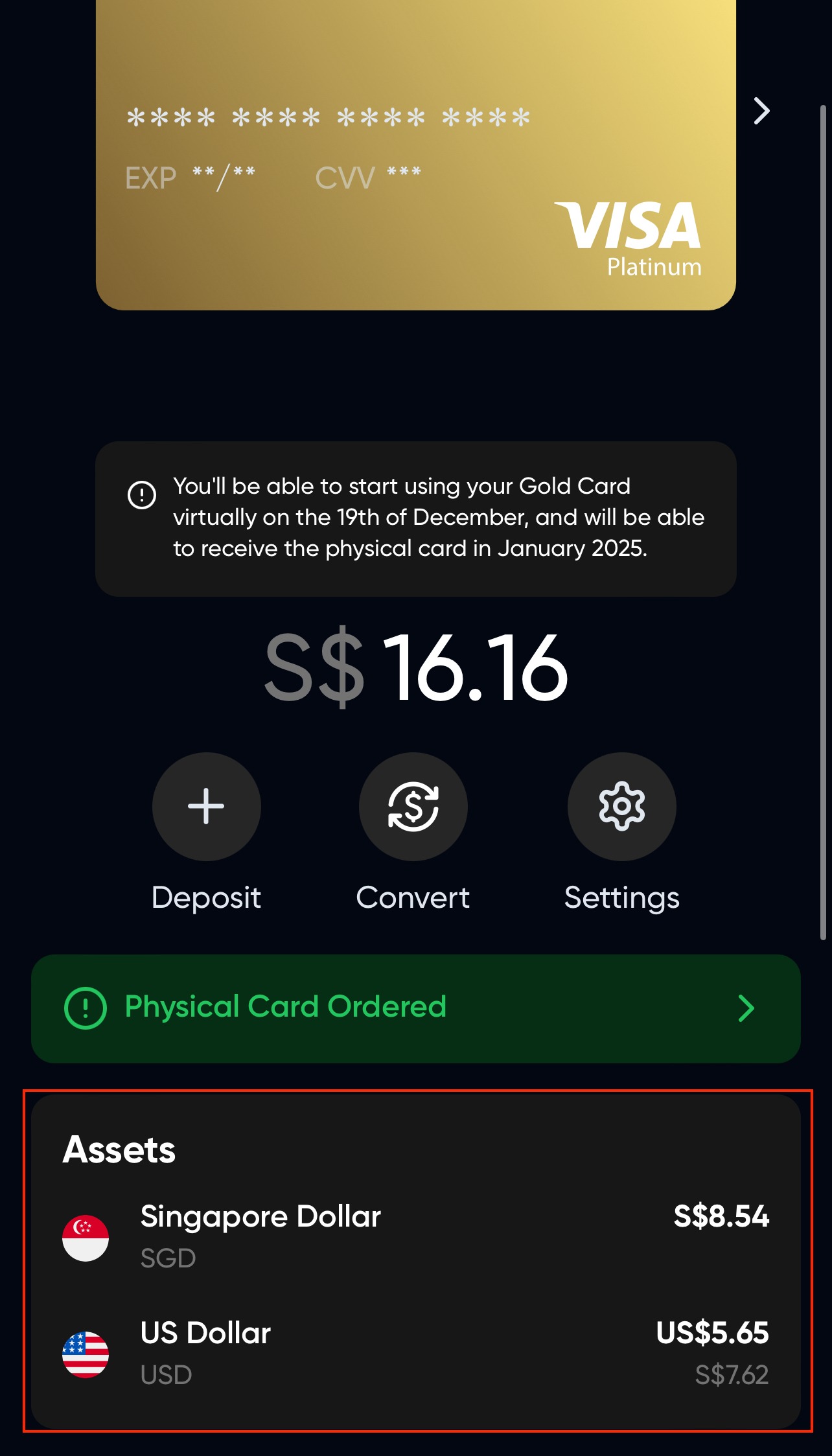
When you deposit in USDC, your balance is stored as USD. When you deposit in XSGD, the balance is stored in SGD. You can swap between SGD and USD within the app.
Depositing from Polygon
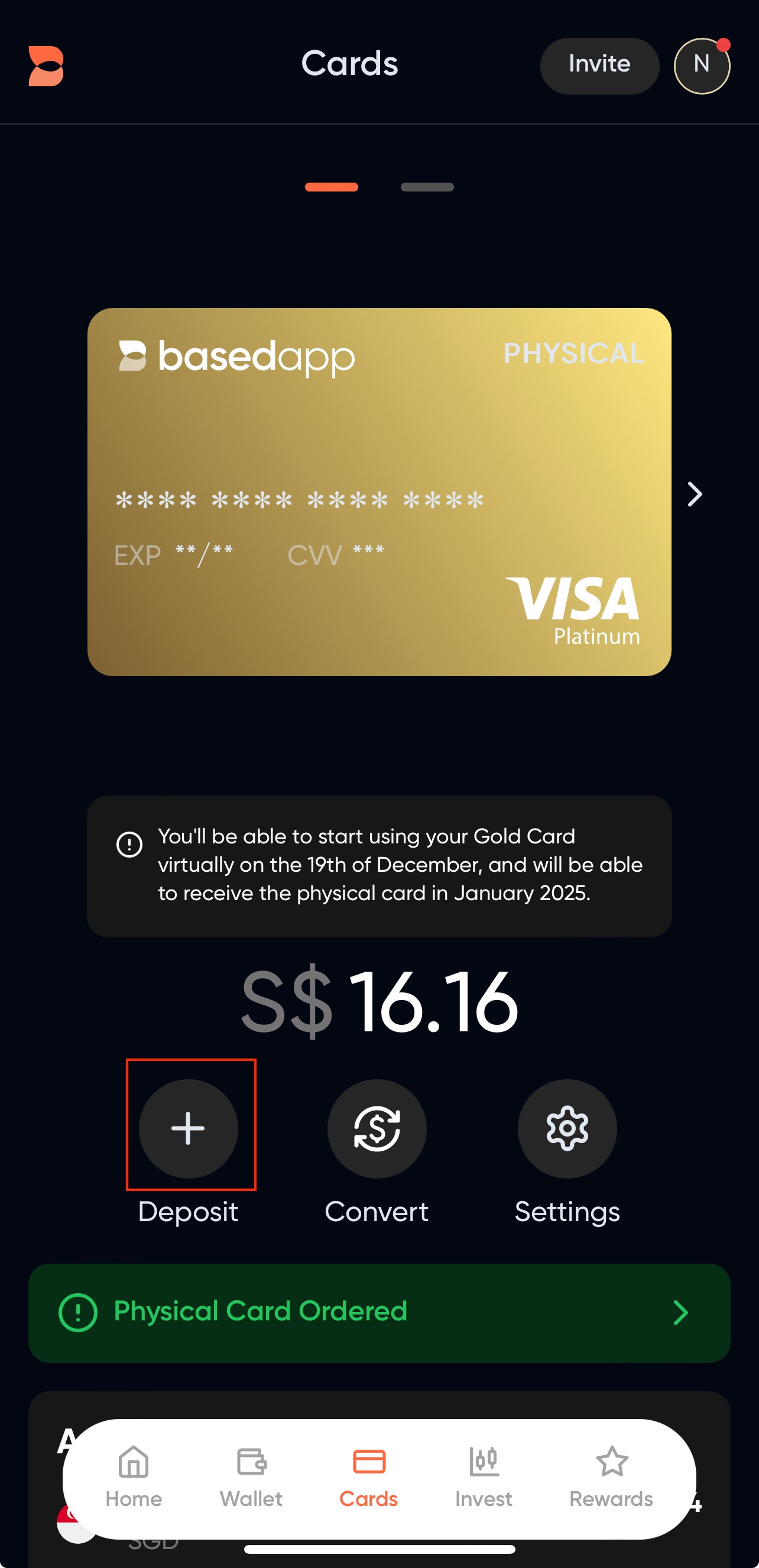
- Navigate to the Cards tab and click on Deposit.
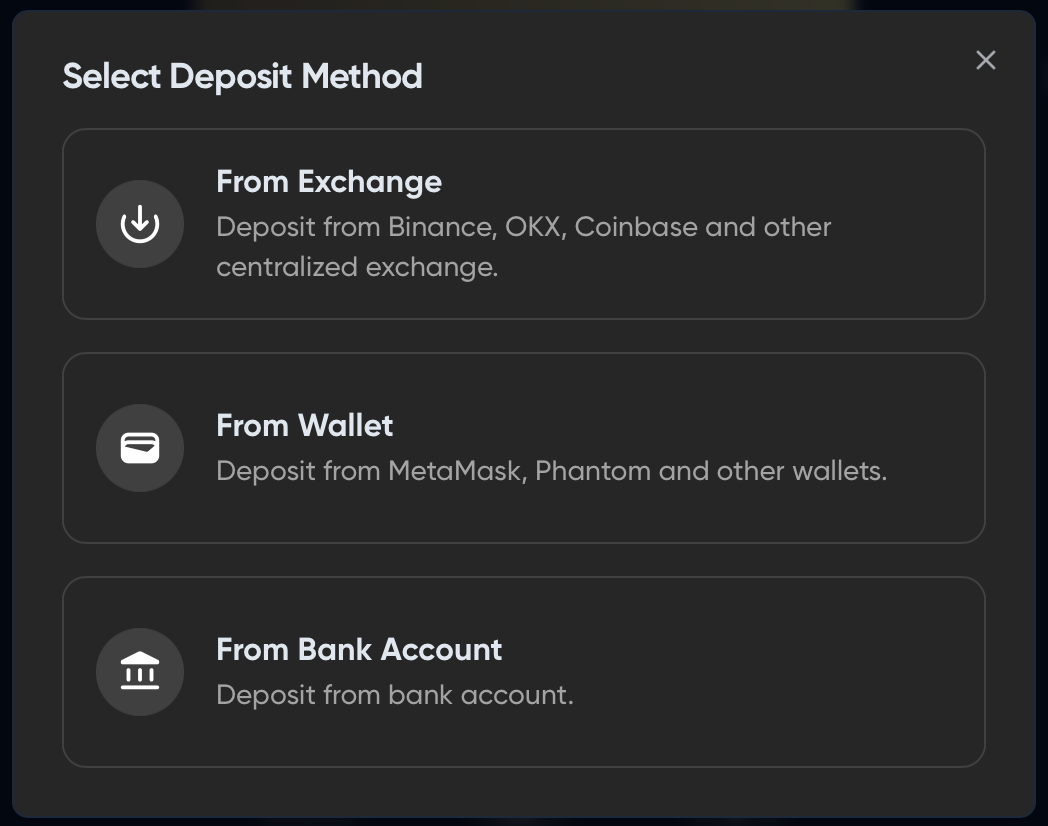
- On the Deposit Modal, select your funding source. (The "From Bank Account" feature may be disabled depending on where you are based at.)
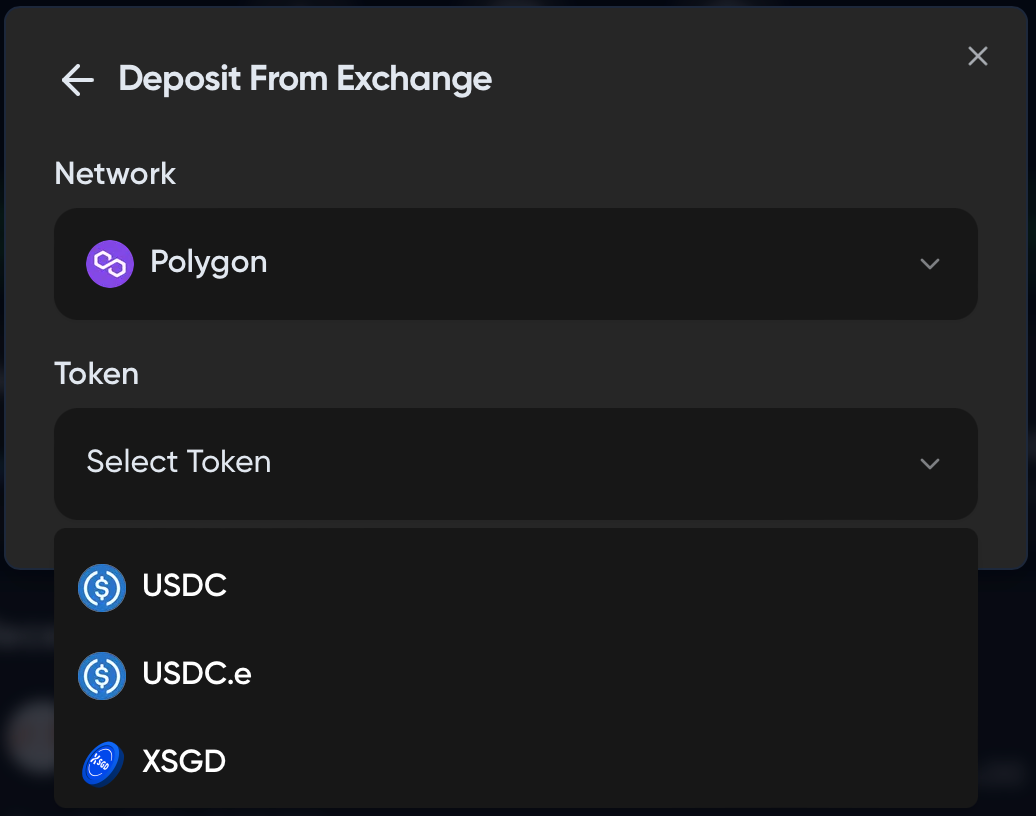
- Select a deposit method, select Polygon as the network and your token of choice.
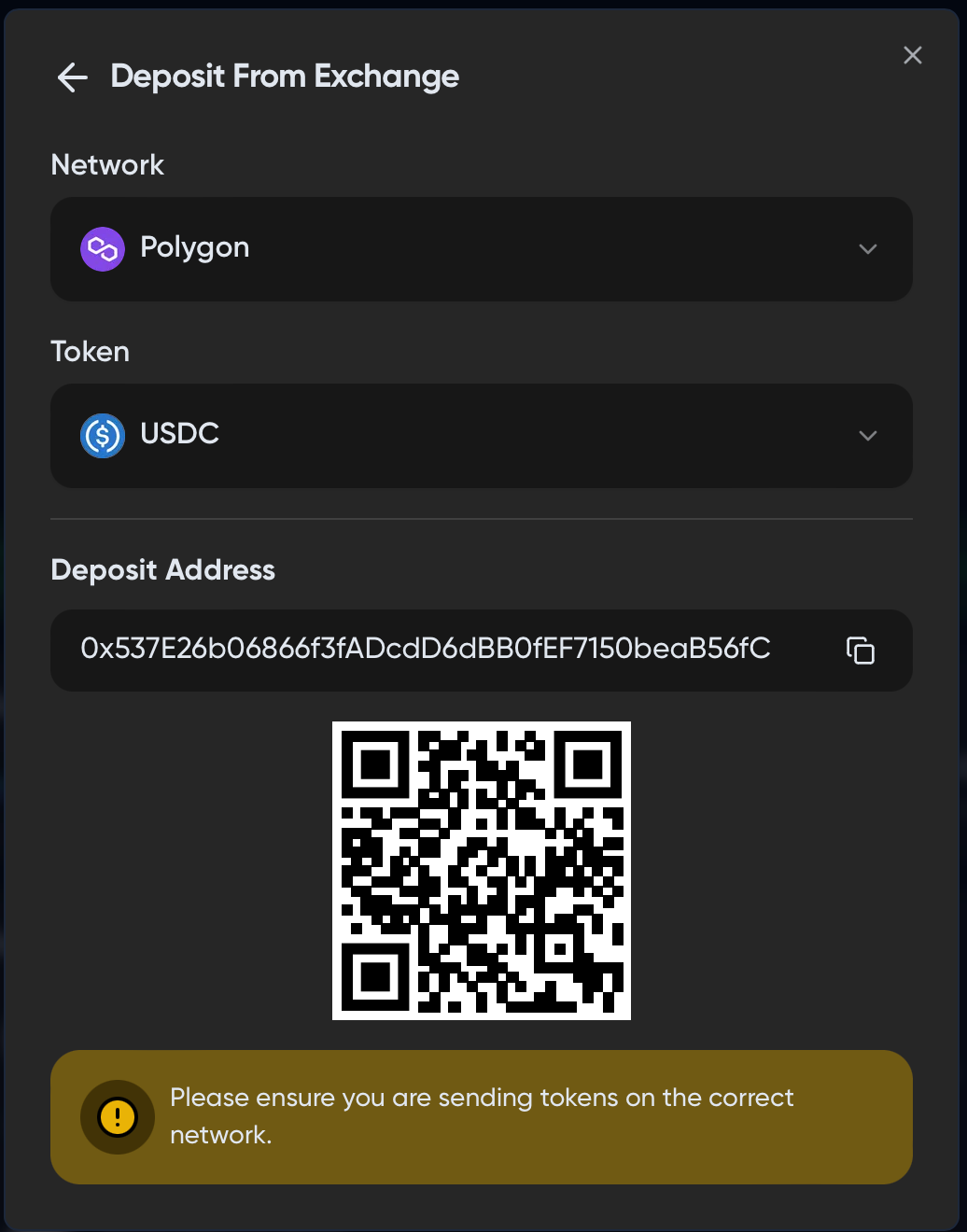
- Send in your selected token to the indicated deposit address. We recommend to always send in small amounts as your test transfer.
- After a successful transfer, your funds should be reflected in your "Assets" tab in your card screen. (Reload the screen/change your tab in case the funds are not immediately available, as it forces a reload of the value.)
Related articles:
- What are the fees for the card?
- How do I bridge funds?
- Deposit into BasedApp from popular Exchanges
- How to deposit from bank account into Card
- Which stablecoins do you support
All rights reserved @basedapp.io
Ready to Get Your Card?
Stake $BASED to get your Visa card and start spending crypto at 70+ million merchants worldwide.