Deposit From Arbitrum or Hyperliquid
This guide walks you through the step-by-step process of transferring USDC from Arbitrum to your BasedApp card. You can withdraw your balance from Hyperliquid and deposit directly from Arbitrum onto BasedApp. Depositing funds into your BasedApp card from Arbitrum is a straightforward process that allows you to use USDC for everyday transactions. By following these instructions, you'll be able to quickly fund your card and start using your digital assets for real-world purchases.
Hyperliquid
Deposits on Hyperliquid Core is now open fo alpha testing and is only available on the mobile app. For most users, Arbitrum deposit is the easiest way to get from Hyperliquid into BasedApp.
Depositing from Arbitrum
- Navigate to the Cards tab and click on Deposit.
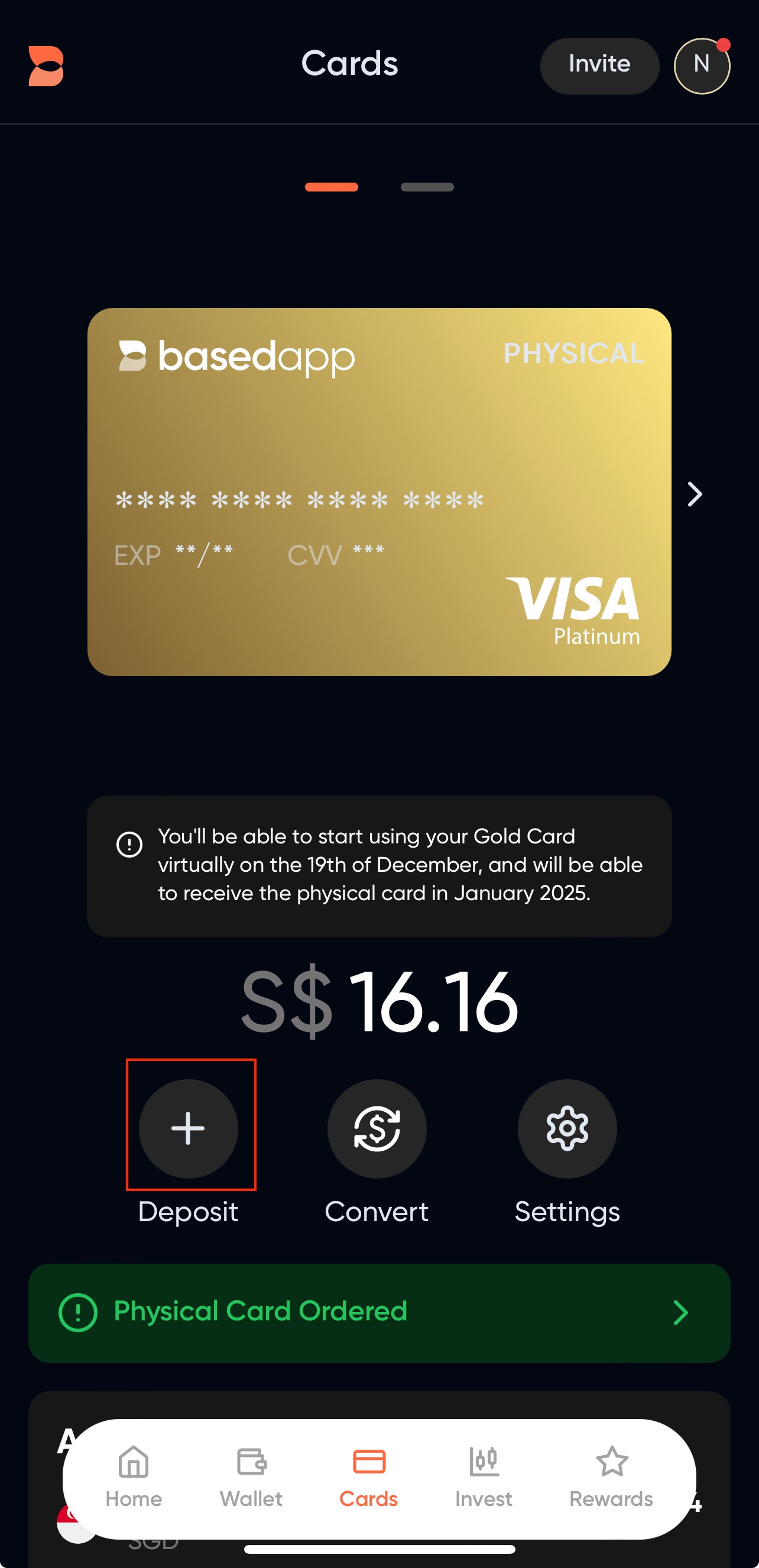
- On the Deposit Modal, select your funding source.
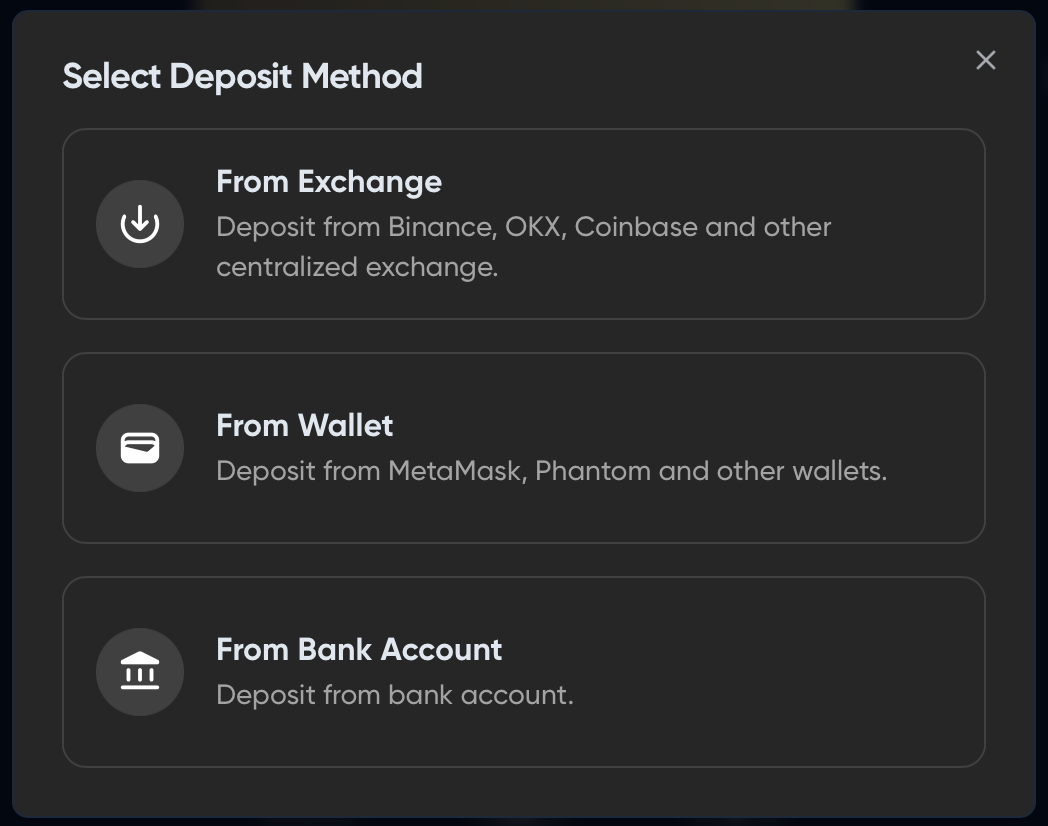
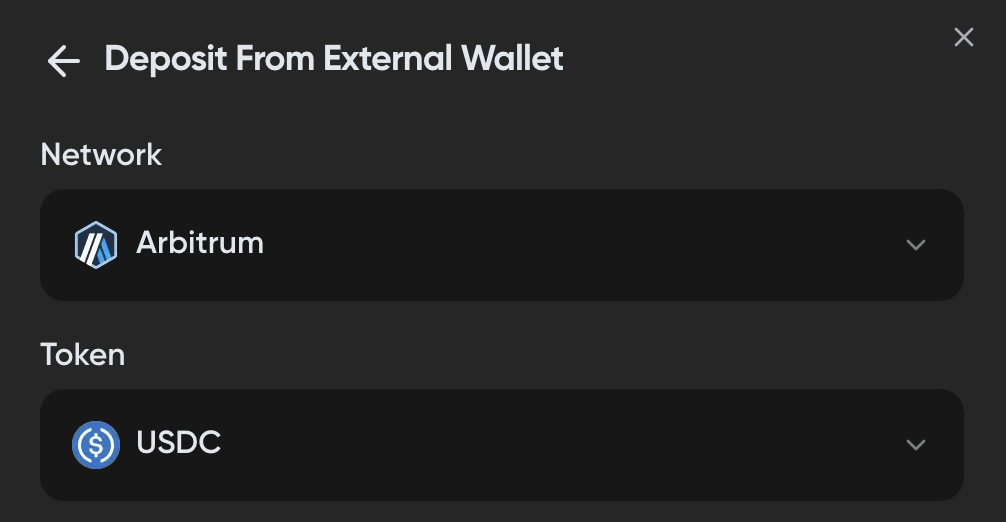
- Select a deposit method, select Arbitrum as the network and your token of choice.
-
Send in your selected token to the indicated deposit address. We recommend to always send in small amounts as your test transfer.
-
After a successful transfer, your funds should be reflected in your "Assets" tab in your card screen. The first deposit may take a few mins to show up. If it's stuck, refresh the page.
If your deposit still does not show up after a few hours, contact our support.
Related articles:
Ready to Get Your Card?
Stake $BASED to get your Visa card and start spending crypto at 70+ million merchants worldwide.